
Welcome to Turpin Communication
Communication Training Solutions for Business Professionals
When Communication Works, Everything Works
Leaders, managers, and professionals today are in a constantly evolving business world. What was learned 10 years ago may no longer work in today’s environment and may be detrimental to success, productivity, and earning potential.

Our Services
Communication Skills We Teach

Business Presentations
The primary purpose of our training for business presenters is to reframe presentations as Orderly Conversations because presentations are…
Read More
Technical Communication
Highly technical people face a challenging task when presenting information to others who do not share the same level and type of knowledge…
Read More
Training & Facilitation
Training programs must be delivered with a focus on relevance and efficiency because the business is paying for results…
Read More
Leadership Communication
Effective business leaders motivate, guide, instruct, and inspire others to take action. We help leaders achieve these goals…

Team Collaboration
When functional teams participate in Turpin workshops, individual members enjoy a host of secondary benefits beyond an…
Read More
Sales Communication
Closing B2B deals requires a combination of artistry and skill. To reach the highest level of success, relationships must be developed and nurtured…
Read More
Meeting Facilitation
When meetings are facilitated well, attendees contribute, decisions are made, and business moves forward.

Virtual & Hybrid Communication
Adapting communication skills to the virtual world has now become a corporate imperative. With Turpin’s Virtual & Hybrid Communication Skills training, your organization can thrive in this new environment.
Read More
Full Course Catalogue
Turpin offers a wide array of courses and coaching to help make communication in your organization one of its strengths. Explore all the available courses today!
View CoursesElevate your team's communication skills with next-level training.
Get Expert HelpThe Turpin Difference
Our Approach
Skill-building Workshops (F2F, Hybrid, Virtual)
Turpin’s skill-building workshops provide the techniques and tools that managers, leaders, and individual contributors need to communicate effectively…
Read MorePrivate Coaching
Our private coaching provides one-on-one communication consulting that is highly tailored…
Read MorePresentations and Webinars
Turpin regularly holds public webinars and conducts private, customized webinars, conference presentations, and corporate lunch and learns…
Read More
What Makes Us Unique?
Our Methodology
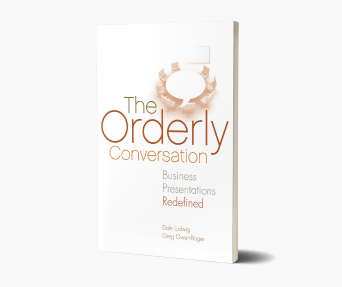
Our methodology is based on our book, The Orderly Conversation®, a groundbreaking resource that offers a proven, practical approach to delivering presentations that move business forward.
We see it time and again; clients come to us with concerns that their teams are missing something in their communication skill set but aren’t quite sure what it is or how they can fill in the gaps. Their communication approach feels outdated or no longer relevant in the modern business context. To further complicate things, a cluttered pool of training providers makes it daunting to decide who to turn to for help. This results in difficult or ambiguous business communication, loss of sales and profits, and stalling or falling behind in career progression.
Fortunately, Turpin Communication can help.
Get Started in Three Easy Steps
Our Proven Process
Our sole focus is improving business communication so that business gets done. We work closely with our clients to develop and deliver training and coaching that enables employees to succeed, no matter what challenges they face. Our training focuses on specific business goals, such as closing a deal, making decision-making easier, aligning teams, and growing leadership capability.

Schedule a Discovery Call
We will discuss your team’s specific communication challenges, struggles, strengths, and weaknesses.

Get a Customized Plan
You’ll receive a customized and comprehensive training plan designed to meet your team’s needs and goals.

Receive Expert Training
Our expert communication coaches will deliver training that will strengthen individual and team communication within your organization.

Discover Turpin Communication
About Us
Turpin Communication was created in 1992 to provide the best business communication skills training available. We are a team of curious, empathetic realists dedicated to the idea that effective, efficient workday communication is possible for everyone.
We build relationships with clients on a foundation of transparency, trust, responsiveness, and respect. In the training room, we are tireless in our desire to understand the unique challenge each learner faces and find the simplest, most practical path to improvement.
Upcoming Webinars
Join Our Upcoming Webinars

Presentation Skills for Subject Matter Experts (SMEs): How to be clear & concise when your brain is full of data
May 8, 2024 10-11 am CT | 11 am-12 pm ET

Looking for a Speaker?
Feature Turpin Communication and The Orderly Conversation at your next leadership, sales, or learning event or conference. Contact us today

Testimonials
What Our Clients Say
Contact Us
Reach Out Today

Call Us

Email Us

Chicago Headquarters
We love being located in Chicago. Our Midwest location and easy access to airports makes traveling to client locations efficient and affordable.
Blog
Read Our Latest Blogs


Three Steps to Improve Listening Skills
Active listening is one of the many communication skills we…

Effective Meetings Start with a Clear Purpose and Context
We were in the midst of a complex, multi-part training…
Our Clients
Turpin is Proud to Work with the World’s Top Brands